

Ford OTA Updates 101: What Gets Updated, What Doesn’t, and When You Still Need a Service Visit
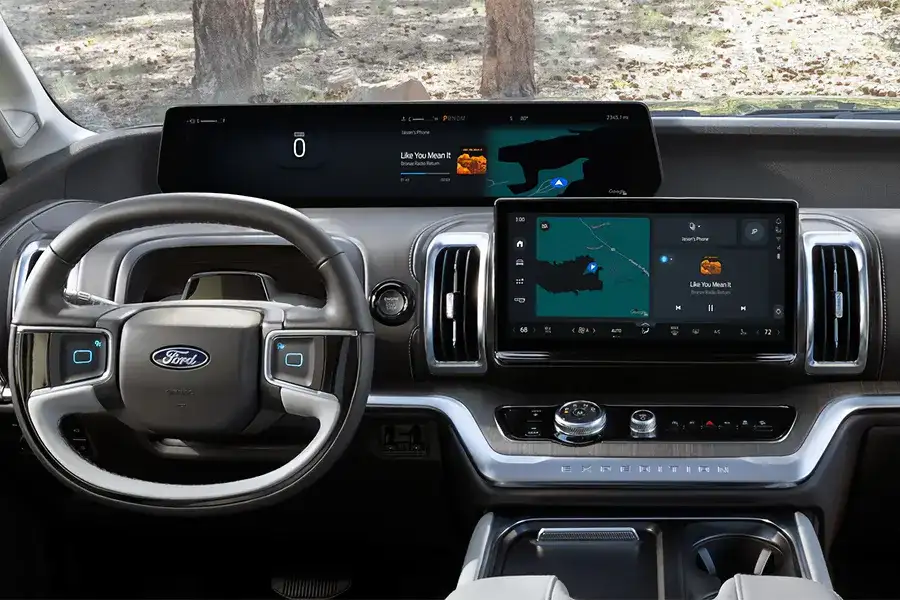
If your phone can improve while it sits on the counter, it makes sense to expect the same kind of convenience from your vehicle. Many newer Ford vehicles can receive software updates over the air, helping your Ford stay current without adding another stop to your week around West Lebanon and Hanover.¹
At Nucar Ford of Lebanon, we see this as one of the best everyday benefits of driving a modern Ford. It is simple when it works, and when it does not, knowing what to expect makes the fix simple too.
At a glance
- Over the air updates can improve features and software quality over time on eligible Ford vehicles.¹
- Some updates happen while you drive, others require a scheduled parked install.²
- A scheduled update cannot be canceled once it starts, and you cannot drive the vehicle during the install.³
- If the update requirements are not met, the update can be postponed and try again later.³
- You can schedule updates from the vehicle screen, and updates can be delivered via Wi-Fi or the vehicle modem depending on the update and vehicle setup.³⁴
- VIN tools are great for checking SYNC and navigation map updates, plus recalls.⁵⁶
What an over the air update is
An over the air update is a wireless software update that can deliver improvements to your vehicle over time.¹ Updates are designed to be convenient, routine, and delivered to eligible vehicles without you needing to plug anything in or visit the dealership for every change.¹
Software updates are most commonly associated with SYNC and the center screen experience, but modern vehicles also use software in many other systems. That is why updates can matter for day to day ownership, not just the display.
Drivable updates vs scheduled updates
Ford software updates generally fall into two buckets.²
Drivable software updates
Drivable updates happen during normal vehicle use. If Automatic Updates is switched on, updates can happen without input from you. If Automatic Updates is switched off, your screen can prompt you to accept the update.²
Non drivable software updates
Non drivable updates require you to schedule a start time and have the vehicle parked for installation.² These are the updates that feel most like a phone update, because there is a defined install period.
Some updates can complete in the background, and more complex updates can take up to 45 minutes.³
What can be updated
Over the air updates are designed to improve the experience you use every day and the software that supports how your Ford operates.¹
Screen and system software
Software updates allow you to update vehicle system software wirelessly, and connecting to Wi-Fi can help you receive updates more reliably.³
Update scheduling and convenience features
You can set a recurring schedule for updates from the vehicle touchscreen.³ You can also adjust your schedule as long as an update is not currently in process.³
Charging behavior for electrified models during updates
If your vehicle is plugged in, charging can stop during an update and resume after the update completes.³
What does not get updated
Software updates are powerful, but they do not replace physical maintenance or hardware.
- Brake pads, tires, wiper blades, and wear items still need routine service
- A feature that requires different hardware cannot be added by software alone
- Physical failures still require diagnostics and repair
Software can solve many issues, but when the fix needs tools and hands on work, a service visit is still the right answer.
When you still need a service visit
Over the air updates reduce trips, but they do not eliminate the need for expert support. Here are the most common reasons to come in.
A scheduled update will not complete
If an update is not successful, your touchscreen can provide prompts for what to do next.³ If it keeps failing, our team can help diagnose what is blocking it and get your settings in shape for the next attempt.
You see warning lights or a change in how the vehicle drives
A software update is not a substitute for diagnosis. If a warning light appears or something feels off, schedule service.
A recall requires service or inspection
Some recalls can be addressed with a software update, and some require an in person repair. The best first step is to check your VIN for open recalls and follow the recall remedy instructions.⁶⁷ If a recall repair is designated, it is performed at no cost to the owner under the recall program.⁸
You want the tech set up correctly
Many owners have great technology available, but it is not fully set up. If you want help with update settings, Wi-Fi setup, or understanding what your vehicle can do, we can walk you through it during delivery or at your next visit.
How to make updates smoother
These steps reduce the most common frustrations people talk about online, especially updates that “never run.”
Turn on Automatic Updates
Drivable updates can happen during normal vehicle use when Automatic Updates is on.²
Set a schedule you can live with
Non drivable updates require a scheduled time.² Pick a time when you know you will not need the vehicle, like overnight.
Use Wi-Fi when you can
To make sure you receive all updates, set a recurring schedule and connect to Wi-Fi. Updates may take longer if not connected, and multiple connections may be required to complete a download.³ Updates can also be delivered via Wi-Fi or the vehicle modem depending on vehicle setup.⁴
Why a scheduled update did not start
If certain requirements are not met during a scheduled update, the update can be postponed.³ The most common requirements include:³
- Vehicle not running
- Vehicle stopped and parked
- Hazard indicators off
- Alarm not sounding
- Doors closed
- Parking lights off
- Brake pedal not pressed
- Emergency call not in progress
- Stop Safely lamp not illuminated
This is also why many people love a late night schedule. It is easier to meet these conditions when the vehicle is parked for the night.
What happens during a scheduled install
A scheduled update cannot be canceled once it has started.³ During scheduled updates you will not be able to drive, start the vehicle, or use remote controls to lock and unlock.³ Some vehicle sounds and locking features can be disabled during the process.³
If you rely on remote lock and unlock regularly, plan installs for a time you will not need quick access.
How to check if your Ford is up to date
Use a two step approach.
- Check the vehicle screen for update status and progress.³
- Use VIN tools for specific checks like SYNC and navigation map updates, plus recall status.⁵⁶
If you would rather have a person confirm everything with you, stop by Nucar Ford of Lebanon at 425 Miracle Mile. We can verify your settings and help you set a schedule that fits your routine, including those days when you are bouncing between errands and Route 120.
Why OTA updates matter when you are shopping for your next Ford
Over the air updates help your Ford stay current over the years you own it. That matters for convenience, confidence, and long term satisfaction.¹
If you are comparing vehicles right now, ask us to show you the software update settings during your test drive. It is an easy way to see how a Ford built for today supports you tomorrow.
Ready to experience it for yourself? Explore our new Ford lineup and let our team match you with the right features for your commute, your family, and your weekends.
Everyone loves a Nucar.
Footnotes
¹ Ford Owner Support, Software Updates for SYNC 4 and 4A, overview and purpose of updates for eligible vehicles: https://www.ford.com/support/category/technology/software-updates/
² Ford Owner Manual, Vehicle Software Updates, drivable and non drivable update definitions and Automatic Updates behavior: https://www.fordservicecontent.com/Ford_Content/vdirsnet/OwnerManual/Home/Content?ProcUid=G2321503&Uid=G2393534&buildtype=web&countryCode=USA&languageCode=en&vFilteringEnabled=False&variantid=10276
³ Ford Owner Manual, Updating the Vehicle Systems Wirelessly, scheduling, Wi-Fi guidance, install limitations, timing, charging pause, postponement requirements, and on screen prompts: https://www.fordservicecontent.com/Ford_Content/vdirsnet/OwnerManual/Home/Content?ProcUid=G2254821&Uid=G2255196&buildtype=web&countryCode=USA&languageCode=en&vFilteringEnabled=False&variantid=8440
⁴ Ford Owner Support How To, scheduling software updates and delivery via Wi-Fi or vehicle modem: https://www.ford.com/support/how-tos/ford-technology/software-updates-general-information/how-do-i-schedule-software-updates/
⁵ Ford Owner Support, SYNC and Navigation Maps updates, VIN search for SYNC and map updates: https://www.ford.com/support/software-updates/
⁶ Ford Owner Support, recalls lookup by VIN: https://www.ford.com/support/recalls-details/
⁷ National Highway Traffic Safety Administration, recalls lookup guidance: https://www.nhtsa.gov/recalls
⁸ Ford Owner Support How To, recall repairs performed at no cost under designated recall announcements: https://www.ford.com/support/how-tos/recall/recalls-and-faqs/will-i-be-charged-for-my-recall-repair/

0 comment(s) so far on Ford OTA Updates 101: What Gets Updated, What Doesn’t, and When You Still Need a Service Visit